RCWeb V-Drums App
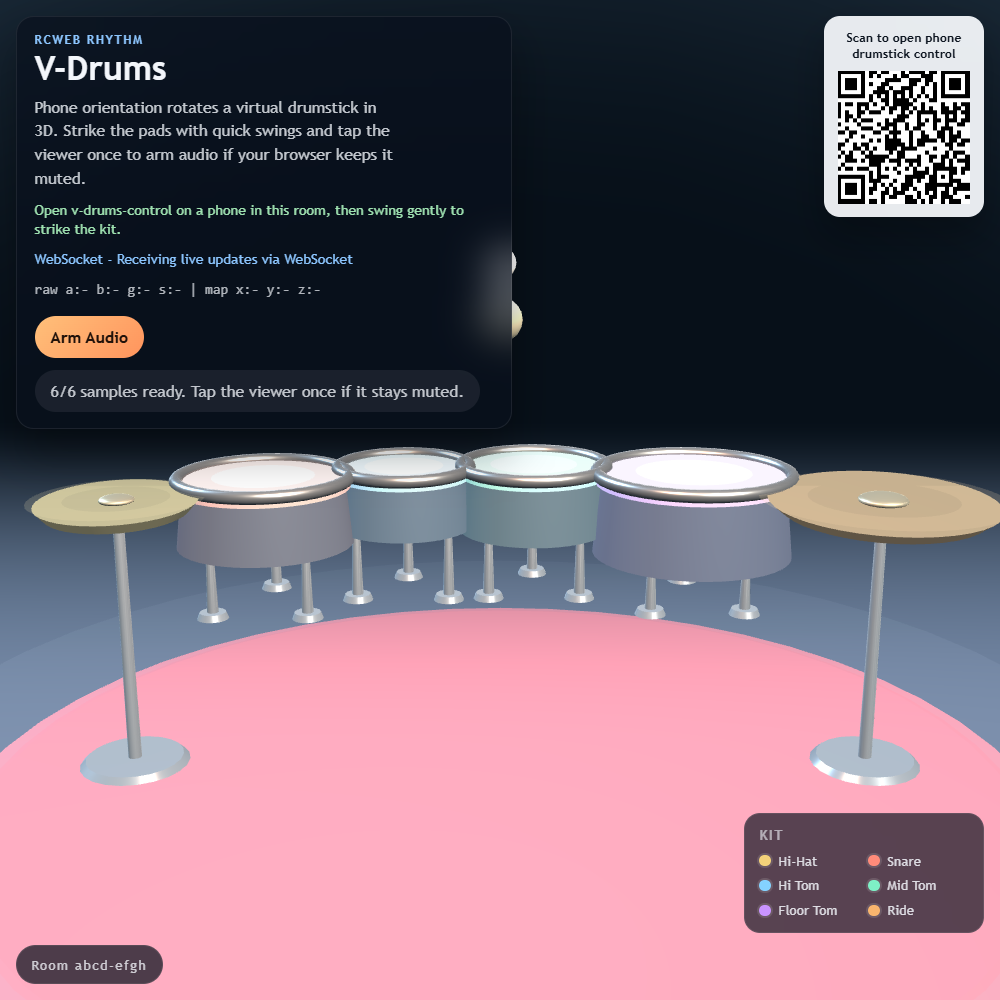
The RCWeb V-Drums App (app/v-drums) is a 3D interactive musical instrument leveraging the Asymmetric Pattern. It acts as the visual and auditory engine for a virtual drum kit, meant to be struck by a smart-controller drumstick.
Screenshot
What it does
- 3D Drum Kit: Utilizes Three.js to render a fully lit, shadow-casting virtual drum kit containing a Snare, Hi-Hat, High Tom, Mid Tom, Floor Tom, and Ride cymbal.
- Audio Synthesis: Integrates directly with the
AudioContextAPI to securely preload high-quality.mp3samples and trigger them with sub-millisecond precision upon physical collision. - Dynamic Strike Physics: Continuously analyzes the sweeping 3D positional vector of the virtual drumstick. When the stick mathematically intersects a drum head with downward velocity, it calculates an exact analog strike intensity, mapping a
gainNodemultiplier to play the sound louder or softer depending on the speed of the user's swing.
How it works
The core logic bridges physical network sensor data with 3D animation and native audio pipelines.
- Audio Arming: Browsers actively block scripted audio until a user interaction occurs. The engine features an explicit "Arm Audio" button array and auto-arms on any mouse click via
{ passive: true }event bindings to bypass this restriction cleanly. - Swept Collision: To prevent the fast-moving drumstick from clipping "through" drums between rendering frames,
updateTipState()compares the stick's current world position against a cachedpreviousTipWorld. It analyzes thetipDeltavector against mathematically defined hit-zones (triggerRadius) to guarantee strikes register perfectly even if swung extremely fast. - Adaptive Telemetry: Receives quaternion or euler rotations directly from the
v-drums-controlproxy. It utilizes exponential interpolation (1 - Math.exp()) to smooth jagged WebSocket steps into a fluid, lifelike 3D drumstick swinging animation on screen.