RCWeb Chat App
The RCWeb Chat App (app/chat) is a real-time, peer-to-peer communication application within the RCWeb ecosystem. It demonstrates the Symmetric Pattern, where multiple users running the same application in the same virtual room collaborate, share state, and exchange messages seamlessly.
Icon

Screenshot
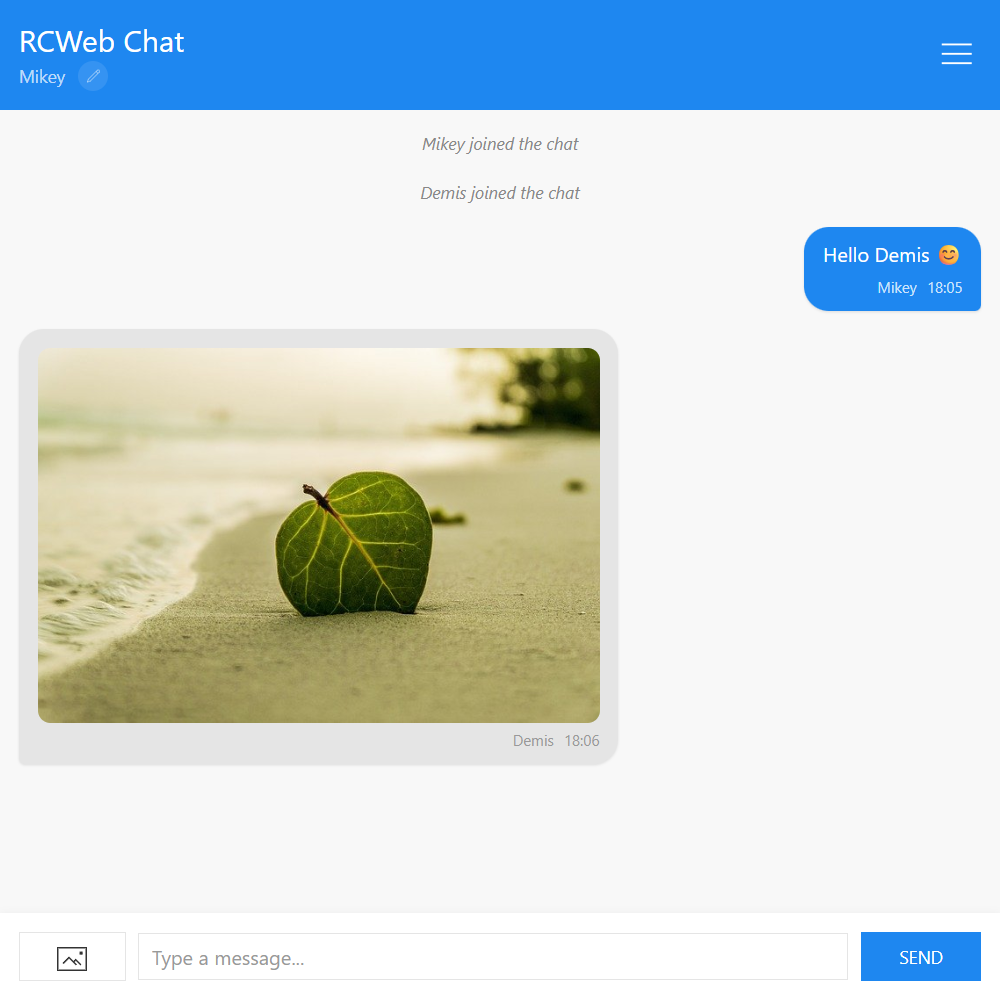
What it does
- Real-Time Text Communication: Users can send and receive text messages instantly with no server-side message storage.
- Image Sharing: Users can select images to share into the chat. The images are processed and securely transferred directly to other participants without being saved on a central server.
- Dynamic Presence State:
- The app tracks when users join and leave the room, announcing these events in the chat stream with notification sounds.
- Users can customize their display names at any time, and these changes are broadcast and updated retroactively for all participants.
- Real-time typing indicators inform users when others are actively typing.
- Peer History Sync: When a new user joins, the chat automatically requests chat history from existing peers in the room so the newcomer can see recent messages. Since there is no database server, only active participants hold the history.
How it works
The Chat app logic resides in script.js and orchestrates complex peer-to-peer messaging using the comms.js foundation.
- Initialization & Identity: Upon loading (
init()), the app retrieves a saved name or generates a funny random one (e.g., "Disco Ninja"). It establishes identity (knownClients) and connects to the shared room usingrc.connect(). - Handling Text and System Messages: All messages and events (like joining or leaving) generate a unique ID and timestamp.
sendTextMessage()broadcasts to peers using remote function execution (rc.sendFunctionCall("chat", "chat.receiveMessage", ...)), invoking thereceiveMessage()method natively on remote clients. - Peer History Syncing: When network status changes to connected,
chat.requestRefresh()asks peers for history. ThesendHistory()method reconstructs remote function calls containing the message database and sends this batch payload back to the new participant to catch them up. - Image Processing and Chunking:
- In
shareImage(), an uploaded image is dynamically scaled down to max 1024x1024 on a canvas. - To transfer the image, the sender registers the Blob locally and sends a
chat.receiveMessageto recipients with a chunk proxy URL (/x-file/...). When the recipient tries to load the image,sendFileChunk()slices the Blob on the sender side and uses HTTP PUT requests to stream data fragments securely to the requester. - The image is also forcefully displayed on any Viewer apps (
app/v) currently active in the room via raw JavaScript execution.
- In
- Presence & Typing States:
broadcastTyping()intelligently throttles typing status updates. When a user presses a key, it broadcasts a "true" typing state and sets a timeout. It reverts the state to "false" if the typing stops, updating the remotetypingIndicatorwidget.